Preface and Background Context
We all know that:
- Codex (or ChatGPT Work) has a weekly quota.
- The weekly quota cannot sustain long-term GPT-5.6 Sol model usage with
reasoning_level=high. Unless OpenAI resets your usage quota, you will probably run out of quota within one or two days of eight-hour coding sessions. - ChatGPT Chat mode has an unlimited GPT-5.6 Sol High quota for Plus ($20) or Pro ($200) plans.
- Actually, it is not unlimited, but I have never hit that quota with four or five concurrent prompting sessions with conversations of more than five turns and more than ten tool-use or MCP calls.
- I suspect that OpenAI might have a hidden
/compactinstruction directive after some threshold of turns is reached. However, this is just a hypothesis.
- The associated sandbox has no internet access and cannot install any packages. However, it can use preinstalled packages, such as the typical Python data-science bundle and some npm packages.
- You can add your own MCP server with Developer Mode enabled.
- The Model Context Protocol (MCP) is a way to pass information to and from external systems, such as your VPS.
- You have your own VPS with root access, unrestricted internet access, and perhaps support for everything that Docker needs.
- It can be behind NAT when you use Cloudflare Tunnel. A domain name is required.
- ChatGPT custom plugins (a.k.a. MCP) support
OAuth,Mixed, andNoneauthentication methods. In my case, since I am lazy, I use theNonemethod with a long HTTP path generated byopenssl rand -hex 32for protection. You can also use Cloudflare Managed OAuth from Cloudflare Zero Trust, or deploy your own OAuth server endpoint on your VPS.
System Architecture
You (End User)
  -> ChatGPT Chat
  -> Plugins (MCP)
  -> OpenAI's own infrastructure
  -> Cloudflare Edge
  -> Cloudflare Tunnels (Your VPS)
  -> Nginx reverse proxy
  -> OpenSandbox MCP server
  -> OpenSandbox Server
Steps
VPS Setup
The project we will use is called OpenSandbox, which allows you to deploy Dockerized sandboxes, with a shared Linux kernel similar to a Linux Container (LXC), programmatically and agentically through its MCP support.
Checkpoints
- Obtain a VPS.
- This is not covered here, sorry! However, many VPS providers support free trials, such as AWS (one year), Azure (one month of credits and a one-year free-tier VM), Google Cloud (three months), DigitalOcean (two months), Vultr (one month), and Linode (two months). You can also order a Raspberry Pi for your home. I use this Raspberry Pi Zero 2 W, but its hardware resources are not sufficient for multiple Dockerized applications. You can use it as a VPS.
- Set up basic VPS management utilities and the environment.
- Monitoring tools (htop, btop, and fastfetch)
- We all love fancy dashboards and banners!
- File-transfer tools (rsync)
- Use these in case the vibe-coded product is genuinely useful and you want to download it to your computer.
- Terminal text editors (micro and Fresh)
- These are for editing configuration files and environment keys.
- Background process execution (tmux)
- This is for running the MCP server in the background.
Version control (Git)
git clone https://github.com/opensandbox-group/OpenSandbox --depth=1- Cloudflare Tunnel (cloudflared)
- This guide does not cover the traditional method, such as an Nginx reverse proxy with SNI filtering and acme.sh or Let’s Encrypt TLS certificates. :D
- Web server (Nginx)
- We need Nginx for URL-path-based filtering and authentication because ChatGPT plugins do not support a static, unchanged
Authorization: Bearerheader.
- We need Nginx for URL-path-based filtering and authentication because ChatGPT plugins do not support a static, unchanged
- Monitoring tools (htop, btop, and fastfetch)
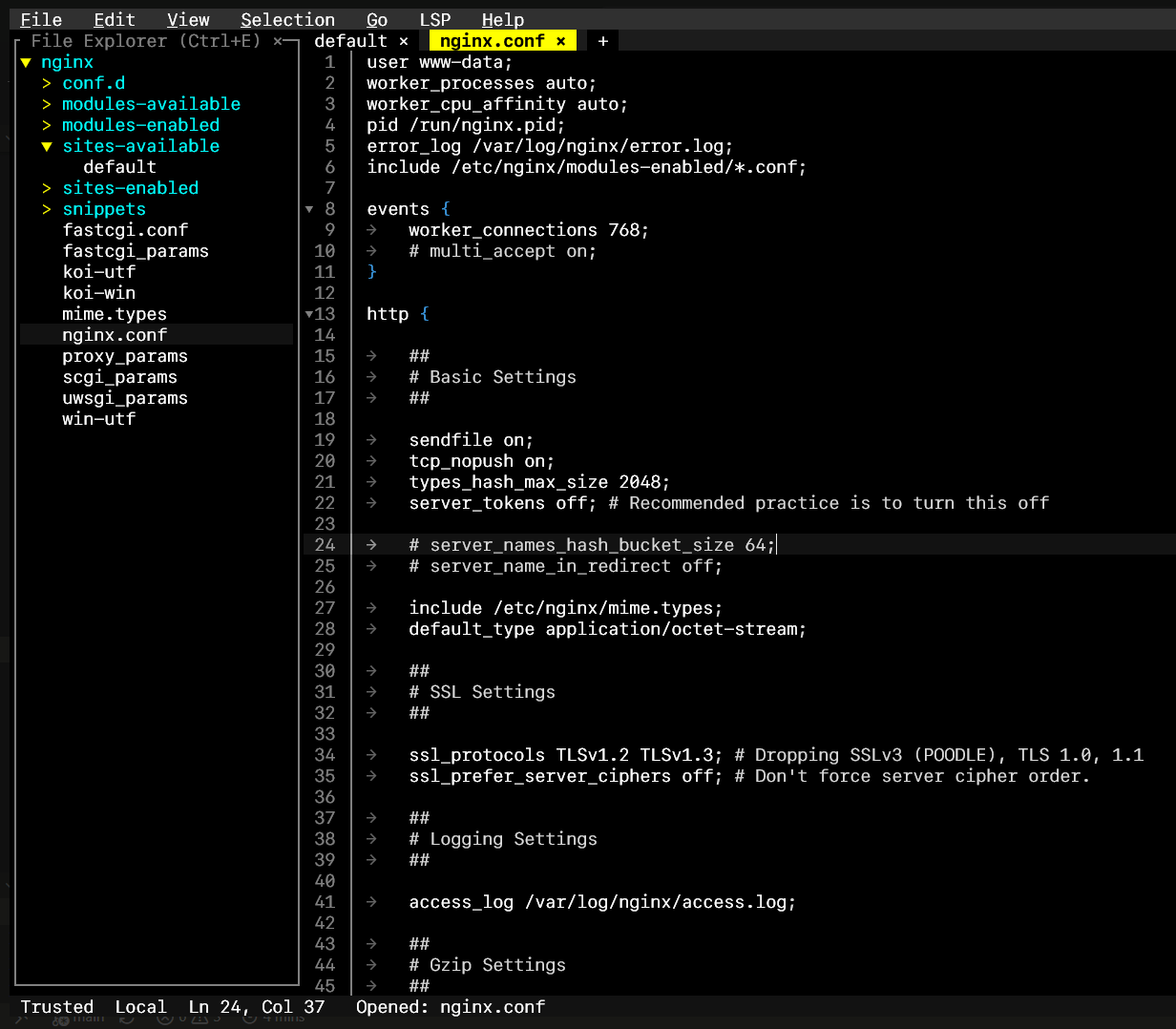
/etc/nginx/sites-available/default:
server {
    listen 127.0.0.1:8081;

    location = /<your-openssl-rand-hex-32-path>/mcp {
        proxy_pass http://127.0.0.1:8000/mcp;
    }

    location / {
        return 404;
    }
}
- Set up Python with uv.
- Follow the official uv installation guide.
- Set up Docker.
- Follow the official Docker Engine installation guide.
- Set up the OpenSandbox server.
- Run
uv syncinside~/OpenSandbox/server.
- Run
root@OpenSandbox:~/OpenSandbox/server# uv run opensandbox-server init-config --example docker
- Set up the OpenSandbox MCP server.
- Run
uv syncinside~/OpenSandbox/sdks/mcp/sandbox/python.
- Run
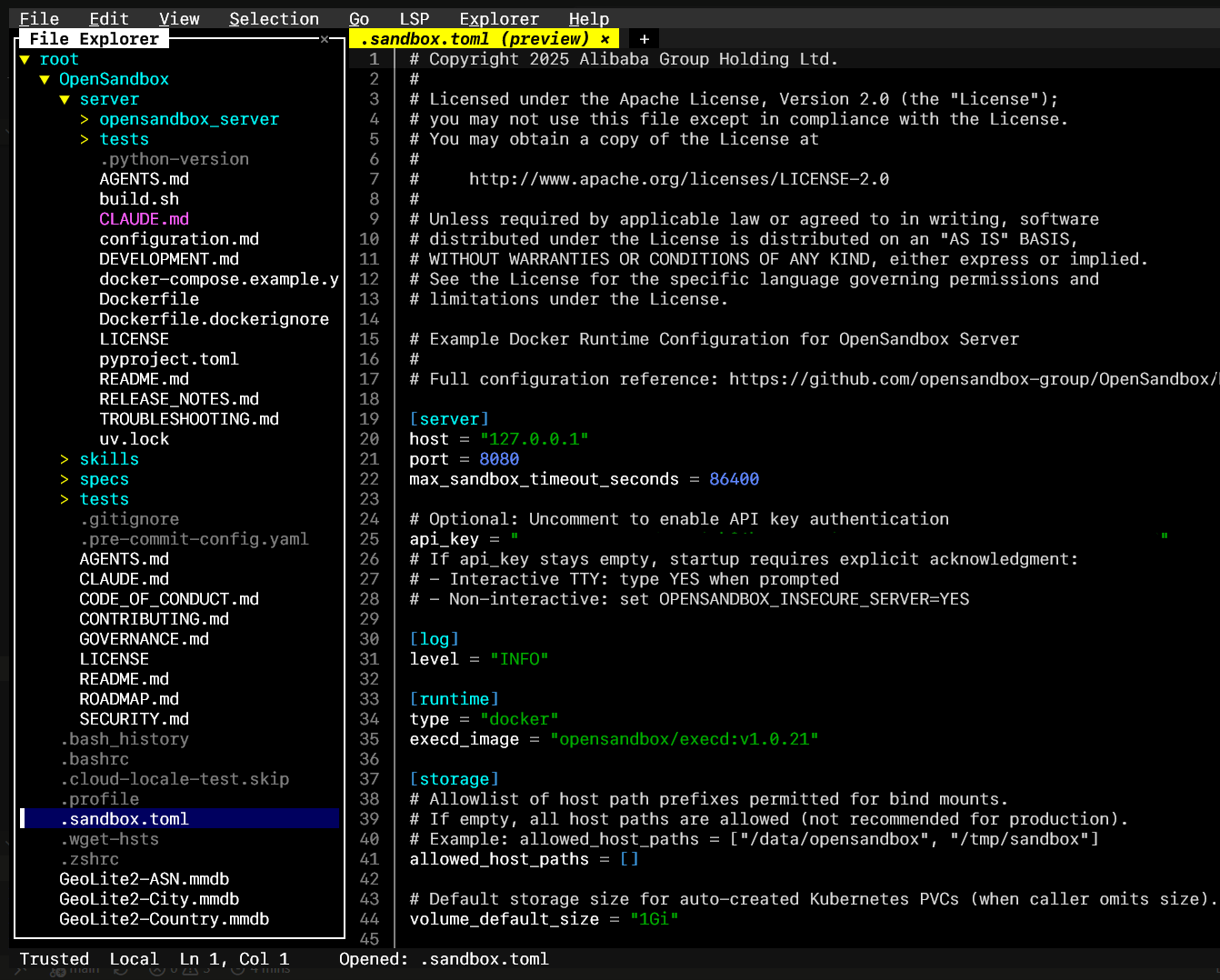
- Configure API access keys in
.bashrcand.sandbox.toml.
Fill in [server] -> api_key:
Fill in OPEN_SANDBOX_API_KEY in .bashrc with the same value:
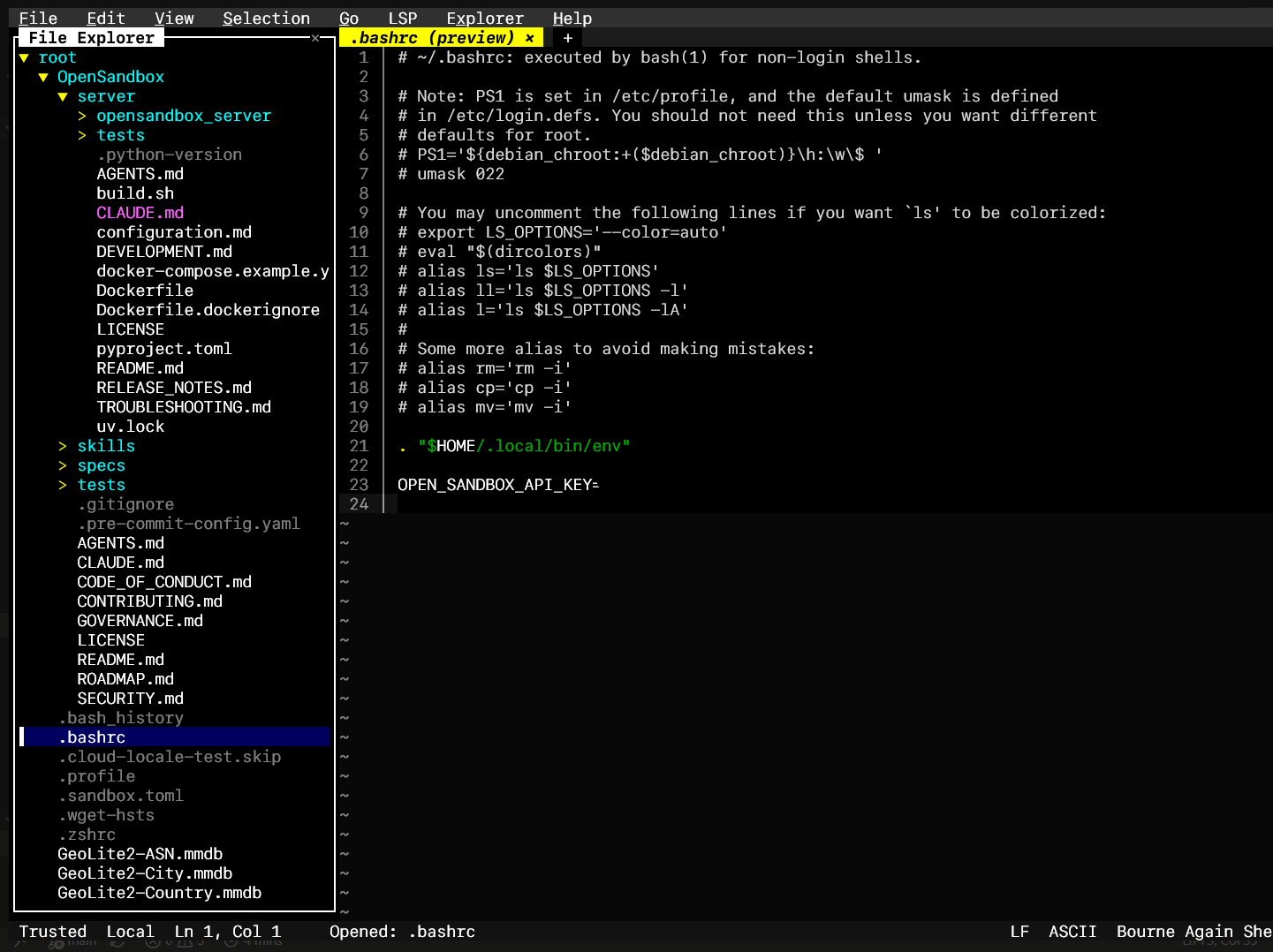
source ~/.bashrc.
- Deploy.
Open two tmux sessions.
root@OpenSandbox:~/OpenSandbox/server# uv run opensandbox-server
root@OpenSandbox:~/OpenSandbox/sdks/mcp/sandbox/python# uv run opensandbox-mcp --transport streamable-http --api-key "$OPEN_SANDBOX_API_KEY"
Cloudflare Setup
Cloudflare Tunnel Installation
Select Protect and Connect -> Networking -> Tunnel:
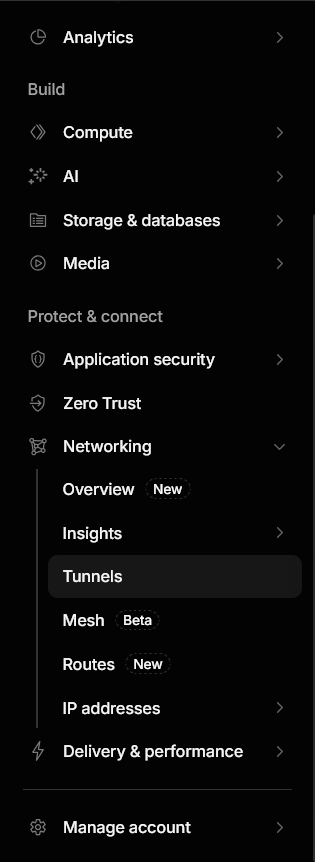
Create a tunnel.

Follow the installation instructions to install cloudflared on your VPS.
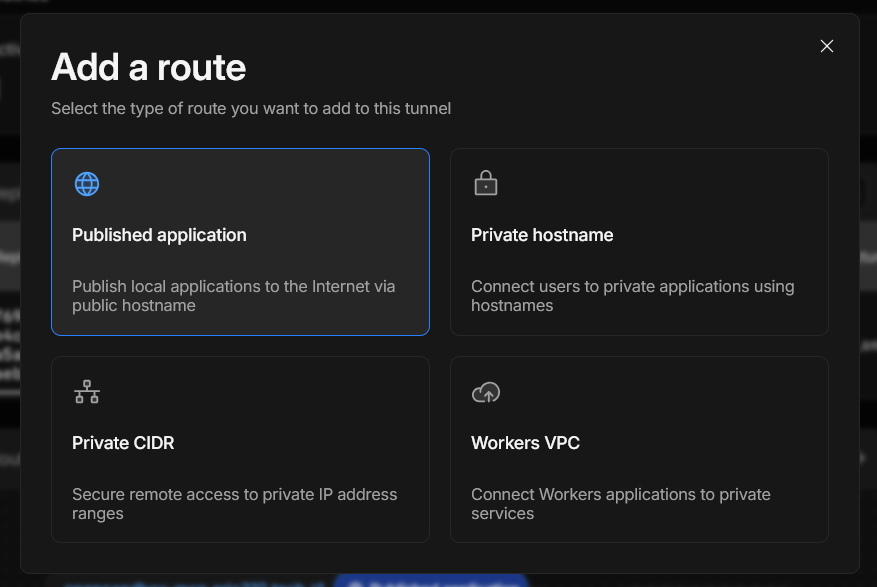
Configure routes.
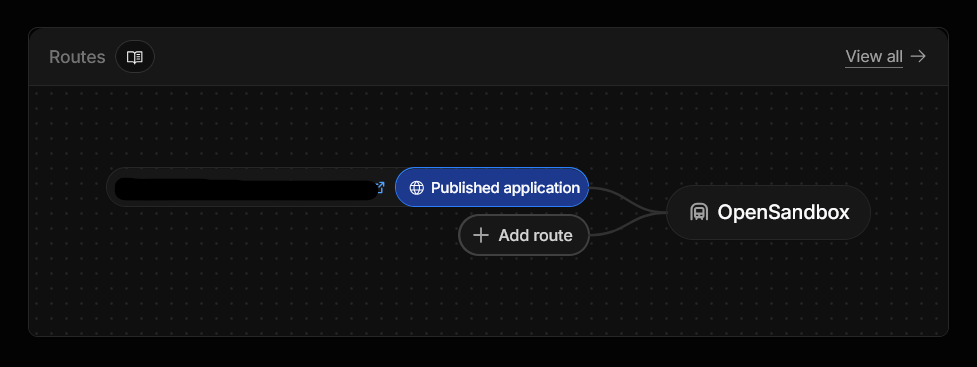
Configure the Published Application to point to your Nginx reverse proxy.
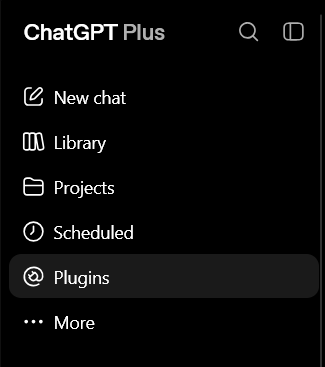
ChatGPT Setup
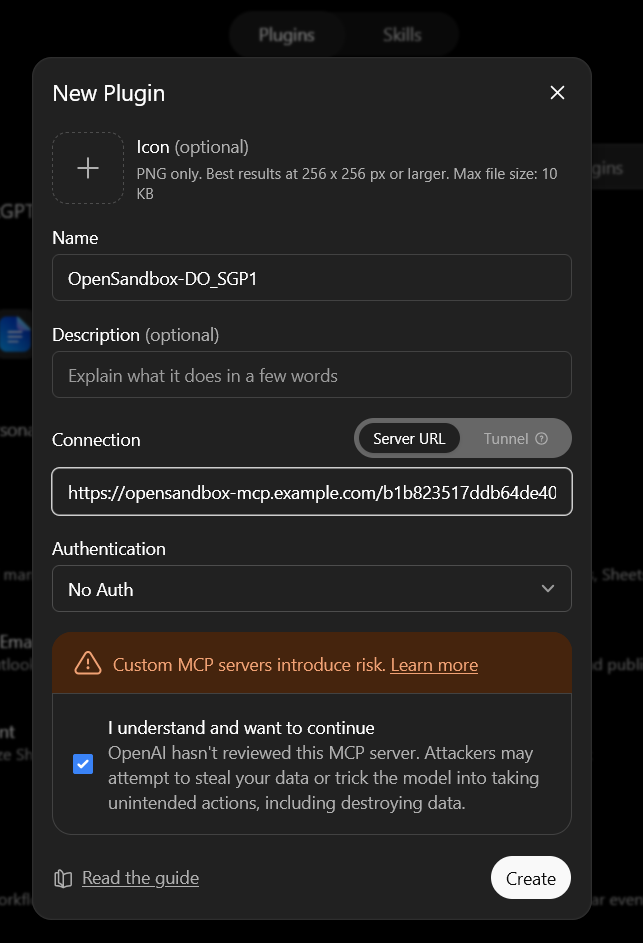
First, go to Plugins.
Then, add a new plugin.
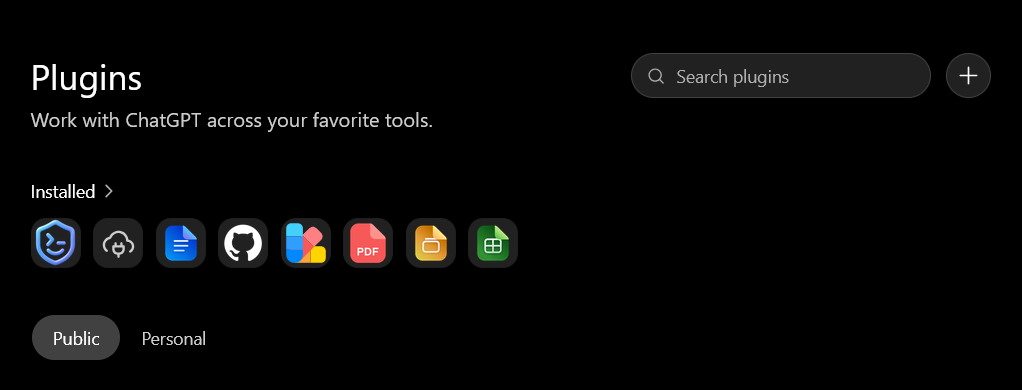
Configure your plugin with the None authentication method, and use the long openssl rand -hex 32 string you generated as the HTTP path. For example:
https://opensandbox-mcp.example.com/b1b823517ddb64de407ba18f8766c493097b22d8c13622f2c994710332282c57/mcp
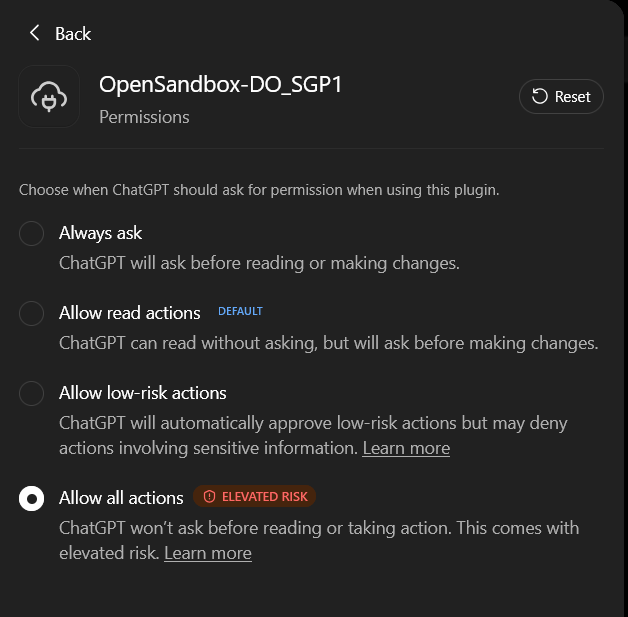
Then, enable all permissions for the AI to use the MCP server to perform rm -rf on your Dockerized sandbox.
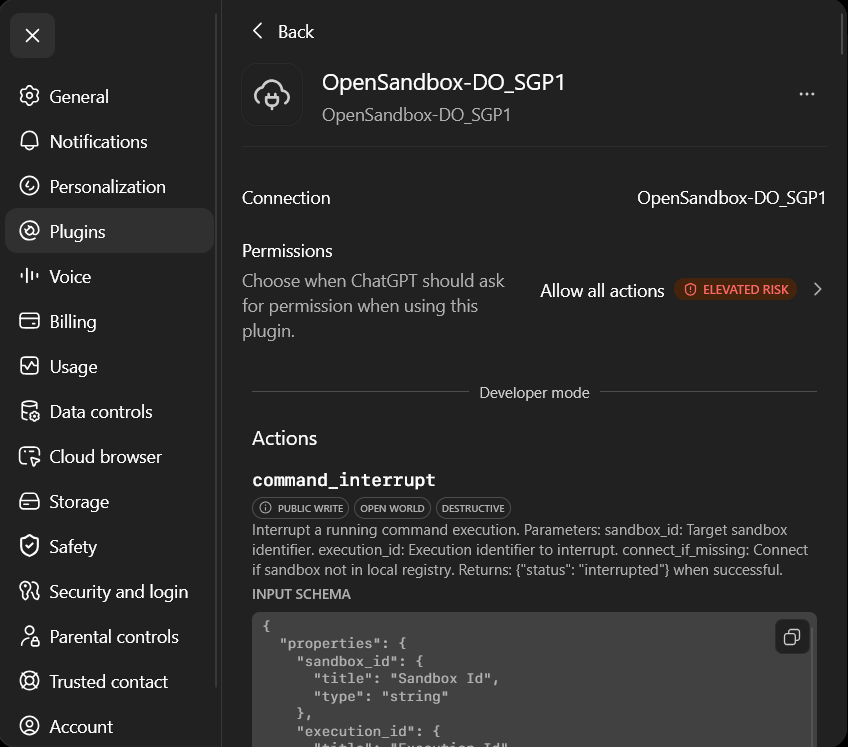
Then, check your plugin profile. You should be able to see the plugin MCP tools.
Usage
Simply tell ChatGPT “Use OpenSandbox”. It will figure out how to best utilize it.
Maintenance
If your VPS is low on disk space, you might want to add 0 10 * * * /usr/bin/docker system prune -a -f >> /var/log/docker-prune.log 2>&1 to your crontab -e to clean up Docker cached images.
Why This Works
Because ChatGPT Chat has a virtually unlimited quota for Plus and above users. Although you cannot launch subagents in the harness that ChatGPT Chat uses, it is still a very powerful GPT-5.6 Sol model with reasoning_level=high. I would say it is worth it.
It is quite easy to get a temporary and free VPS with sufficiently powerful resources to run concurrent, sandboxed, and isolated agentic coding tasks while letting your agents screw up their own development environments inside the sandbox. Plus, sandboxes expire over time, which is configurable, so it is quite easy to manage the garbage that your agent creates. If you do not like it, just leave it alone, and it will eventually be gone!
Appreciation
Thanks, ChatGPT, for supporting my research on this topic.
Thanks to the OpenSandbox project for its agent-native sandbox runtime and just-perfect MCP support.
Thanks to OpenAI for resetting my ChatGPT Codex quota and allowing virtually unlimited ChatGPT Chat usage.
Side Note
I have used the unlimited quota to develop a to-do app. See it here: https://github.com/eric15342335/aurora-todo-app
To Do
Automate this deployment through cloud-init, Ansible, or Terraform, although I have not used Ansible or Terraform. Perhaps a simple Dockerfile will work, too.